

How to Use the Democracy Database
Exploring our work in progress...

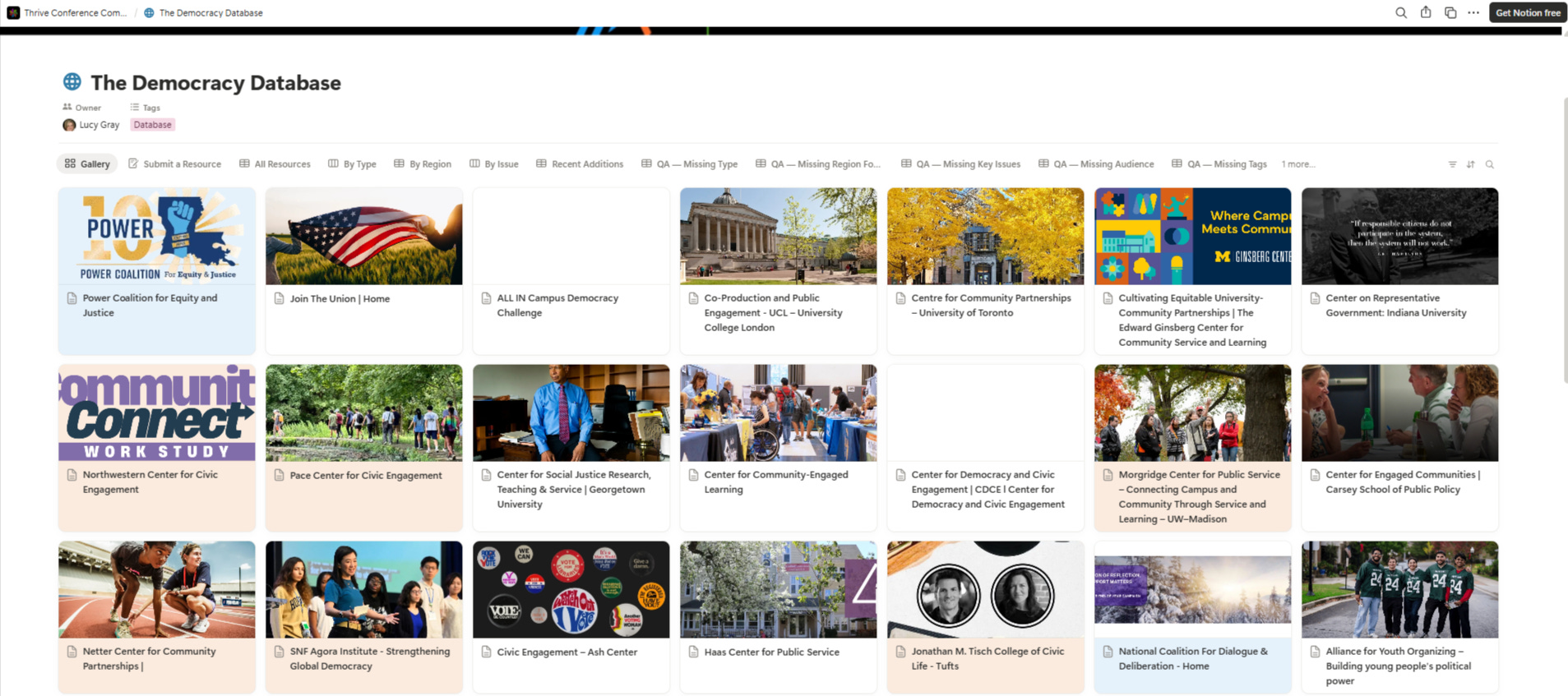
If you have ever wondered, “Where can I find trustworthy, practical democracy resources without getting lost in the internet?” this database is meant for you.
The Democracy Database is a curated list of organizations, guides, tools, reports, and learning resources that help people understand civic life, protect democratic norms, and take informed action. It is designed so you do not need to be an expert to find something useful.
What you can use it for
Here are a few simple, real-life ways people use this database:
Learn the basics of voting, civic participation, and rights.
Find organizations doing credible work in areas like election integrity, civic education, disinformation, civil liberties, and anti-corruption.
Get practical tools such as voter guides, organizing resources, and media literacy supports.
Browse by region if you want resources relevant to a specific place.
Discover resources for a specific audience, like educators, researchers, families, or community organizers.
How to search
Most people get the best results with a mix of search and filters.
1) Use the database search bar
At the top of the table, use the search bar to type keywords such as:
“voting rights”
“media literacy”
“youth”
“toolkit”
“election”
This is the fastest way to narrow the list.
2) Filter using the built-in properties
The database includes helpful fields you can filter on, including:
Type (Organization, Tool, Article, Report, Curriculum / Lesson Plan, etc.)
Key Issues (Voting Rights, Disinformation, Civic Education, and more)
Region Focus
Audience
Tags (like Research, Community Engagement, Leadership Development)
If you are not sure where to start, try filtering by Key Issues first, then add Type.
3) Open a resource page for context
Click any resource name to open the full entry. Many entries include:
A short description of what it is
The official website link
Notes that can help you decide if it is worth your time
A tour of the views (and when to use each one)
This database includes multiple views so you can browse in the way that feels easiest.
All Resources (Table)
This is the “master list” view.
Use it when you want to:
search broadly
filter and sort
compare multiple resources side-by-side
Gallery
A more visual browsing experience.
Use it when you want to:
scan quickly
explore without a specific goal in mind
By Type (Board)
Groups resources into columns by Type.
Use it when you want to:
browse just organizations, or just tools, or just reports
discover what is available in each category
By Region (Table)
Groups resources by Region Focus.
Use it when you want to:
find resources relevant to your country or region
compare what exists across regions
By Issue (Board)
Groups resources by Key Issues.
Use it when you want to:
focus on a topic like Voting Rights or Disinformation
explore multiple kinds of resources for the same issue (orgs, tools, reports)
Recent Additions (Table)
Sorts by what was added most recently.
Use it when you want to:
see what is new
check back periodically without rereading the whole database
QA views (quality check views)
These views help maintain the database (missing tags, missing region, needs verification, and so on). They are mainly for database stewards, but they are also useful if you want to:
find entries that still need confirmation
understand what is “in progress” behind the scenes
Suggest a resource (not currently listed)
If you do not see a resource you want in the database, there is a tab called Submit a Resource where anyone can recommend an addition. It opens a simple form so you can share the resource name, link, and a few tags (issue, region, audience) to help it get categorized correctly.
How this database is curated
This database is a living collection that I have built over time using a few different inputs:
Web research: I have added resources I found through focused web searches.
Word of mouth: I have included recommendations shared by people and networks I trust.
AI-assisted deep research: I have used ChatGPT and Claude to help surface high-quality sources and summarize what they offer.
Notion as the home base: I use Notion to store everything in one place, keep it organized, and continuously refine it. I also use Notion’s AI agent to help polish entries and improve clarity. Notion also has a Chrome extension that makes it easy to clip a resource for this database.
Quality improvement support: I have used Claude’s CoWork to evaluate the database structure and make suggestions for improvement.
My goal is to keep this resource practical and user-friendly, while continuing to improve accuracy and completeness over time.
A simple “starter path” for new users
If you are brand new, this is a quick way to get value in under five minutes:
Open By Issue
Pick one issue you care about (like Voting Rights or Disinformation)
Open 2–3 resources that look promising
Use the Website link to go straight to the source
Closing thoughts
Democracy can feel overwhelming when the information is scattered and noisy. A database like this helps by putting credible, usable resources in one place, so you can move from concern to clarity to action at your own pace.
I’ll be giving a tour and demonstration of this resource at our upcoming democracy summit. Register for Thrive: United for Democracy and Global Action here. Live sesions are free to attend.
Feedback is welcome. What do you think of this? Is it useful? How would you or your organization use the database?